Desktop app
Download NetSight Studio
Process match video on your own computer — no giant uploads — and send draft touch events to your team on NetSight, where the coach reviews and publishes. Requires a team license key; activation is per device and the app works offline for up to 14 days between checks.
NetSight Studio for Windows
Version 0.3 · ~2 MB installer (dependencies download during setup) · Windows 10/11, 64-bit · installs per-user, no admin prompt. Python 3.12 is set up automatically if missing.
What you get
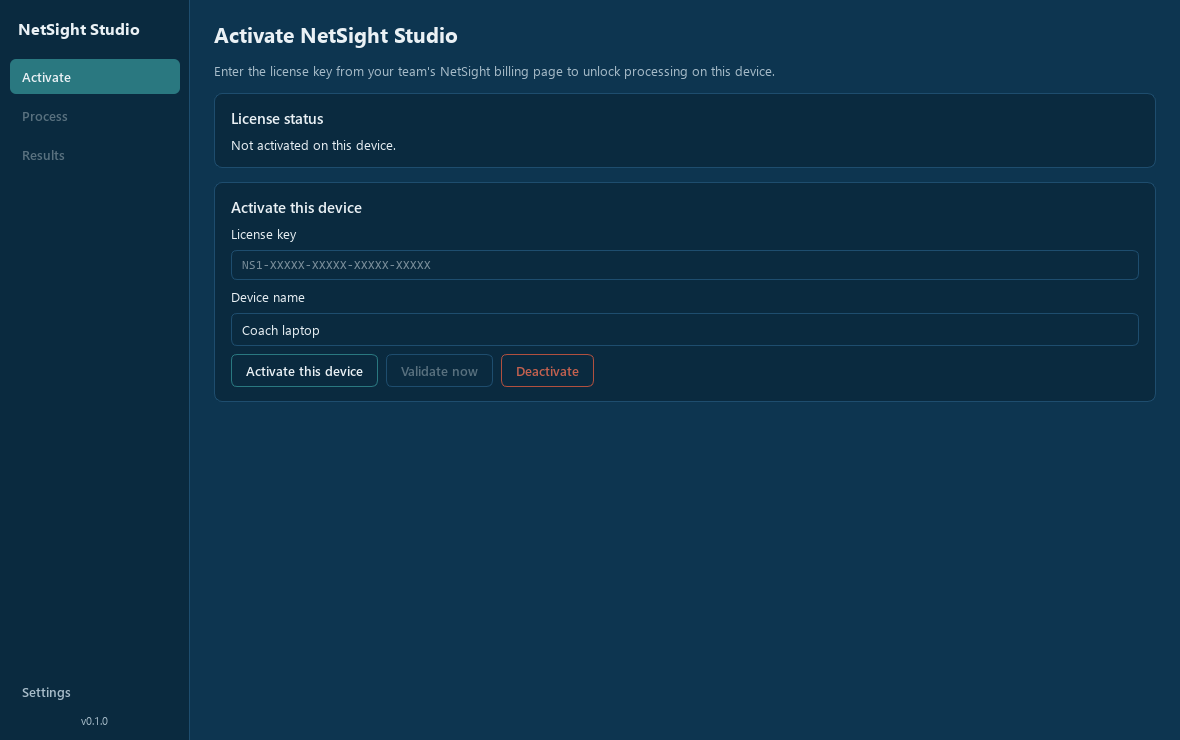
Processing and results stay locked until the device is activated with your team's license key — seats, revocation, and renewals are all controlled from the team's Billing tab.
Install in four steps
01
Run the installer
A normal setup wizard — no admin rights needed. It copies the app and prepares its Python environment (a few minutes, one time).
02
“Windows protected your PC”?
The installer is new and not yet code-signed, so SmartScreen may warn once. Click “More info” → “Run anyway”.
03
Launch
Use the Start Menu or Desktop shortcut — NetSight Studio opens like any other app.
04
Activate
Paste the license key from your team's Billing page on NetSight. Seats and revocation stay under the team owner's control.
Honest expectations
The model-free check proves the complete pipeline. The recommended real-video profile fuses YOLOX people, a dedicated volleyball ball model with foot-lock filtering, and ByteTrack persistent IDs after every pinned component passes local preflight. A four-click fixed-camera court calibration removes sideline people and maps players to real court coordinates. Automated events are drafts — every stat is assigned and approved by a coach before families ever see it. No license key yet? Team owners can start a pilot from their Billing tab, or create a team first.
NetSight Studio is published by Daugherty Software Solutions LLC.